

Table of Contents
- Why Mechanical Watch Accuracy Testing Matters
- How to Measure Watch Accuracy: Preparing Your Test
- Manual Observation: Testing Over Several Days
- How to Use a Timegrapher for Precise Results
- Using a Watch Accuracy Test App on Your Phone
- Keeping a Watch Rate Tracking Log
- Separating Watch Error from Measurement Error
- Frequently Asked Questions
Last Updated: October 6, 2026
Why Mechanical Watch Accuracy Testing Matters
A mechanical watch relies on hundreds of tiny parts working in harmony, unlike a quartz watch that keeps time electronically. Small variations in manufacturing, wear, and how you wear it all affect accuracy.
Testing your mechanical watch accuracy at home reveals its real-world performance, whether it's within acceptable limits or needs service, whether you own a vintage piece or a new custom-engineered caliber from a brand like Haim Watch Company.
You don't need expensive equipment. Here's how to test mechanical watch accuracy at home with tools you likely already have.
How to Measure Watch Accuracy: Preparing Your Test
Proper setup determines whether your results are reliable or misleading.
Choosing Your Time Reference
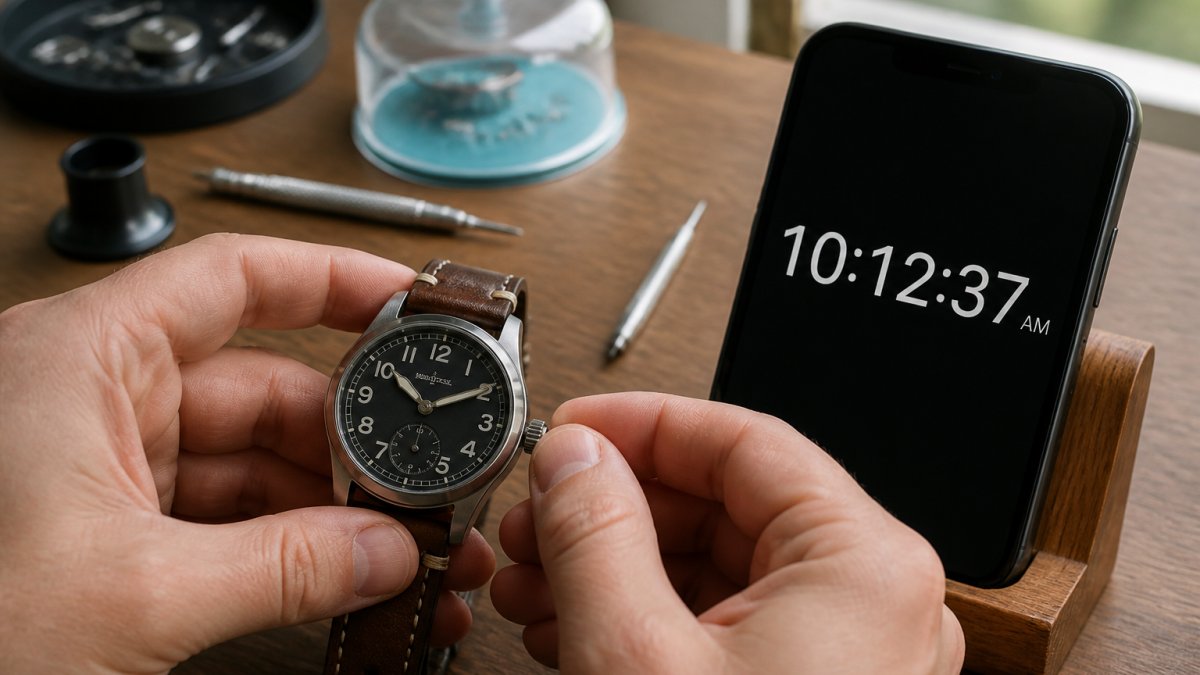
Your time reference must be more accurate than the watch you're testing, or your results are meaningless.
The best options are:
- Atomic time via your phone. Most smartphones sync to atomic time servers automatically. Check your phone's clock against a known atomic time source online to verify it's accurate.
- Internet-synchronized time. Websites like NIST's atomic clock service provide real-time atomic time you can reference.
- GPS-based time. GPS receivers use atomic clocks. Some watch accuracy apps pull time from GPS signals.
Avoid using a regular computer clock or another mechanical watch as your reference. They're not accurate enough.
Understanding Position and Power Reserve Effects
Your mechanical watch's accuracy changes based on position and how much energy the mainspring has stored.
Position effects matter because gravity pulls on the hairspring and balance wheel differently depending on whether the dial faces up, down, or sideways.
Power reserve also affects rate: a fully wound watch often runs faster than a partially wound one, and may slow as the mainspring unwinds.
For meaningful testing, wear the watch normally for at least 24 hours before measuring to stabilize the power reserve.
Manual Observation: Testing Over Several Days
The simplest method requires only patience, your phone, and a notebook.
Step 2: Wear the watch normally. Don't baby it or keep it in one position, measure real-world performance.
Step 4: Record for at least 5 days. One day's reading is noise.
Step 5: Calculate the daily rate. Subtract the previous day's error from today's error.
Example: 2 seconds fast Monday and 7 seconds fast Tuesday means it gained 5 seconds per day.
How to Use a Timegrapher for Precise Results
A timegrapher is a bench instrument that listens to the escapement through a microphone and reports rate, amplitude, and beat error in real time, the same class of tool a watchmaker uses. A basic unit costs less than a routine service and suits anyone testing more than one watch or wanting actionable numbers.
What the Readout Actually Tells You
- Rate (s/d). Seconds gained or lost per day, measured instantaneously, the number you compare against spec.
- Amplitude (degrees). How far the balance wheel swings from center. A healthy, fully wound modern movement sits between 270 and 315 degrees; below roughly 250 suggests low power, worn pivots, or a tired mainspring.
- Beat error (ms). The timing asymmetry between tick and tock. Under 0.5 ms is good, under 0.3 ms excellent; above 1.0 ms usually means the impulse pin or hairspring stud needs adjustment.
Setting Up a Measurement
- Wind the watch fully and let it settle a few minutes, readings on a partially wound watch aren't representative.
- Clamp the watch in the microphone holder or rest it on the sensor, caseback facing the mic. Don't hold it, your hand damps the case and adds noise.
- Enter the correct lift angle for the movement. This common setup error throws off amplitude, not rate.
- Let the reading stabilize for 30-60 seconds before recording.
- Sweep positions. Record rate and amplitude in at least six: dial up (DU), dial down (DD), crown up (CU), crown down (CD), crown left (CL), crown right (CR). A watch reading +1 s/d in DU and +14 s/d in CD has a positional error no single-position reading reveals.
Reading the Numbers Against Spec
A common benchmark for a modern mechanical movement is -10 to +20 seconds per day, with many manufacturers tightening that to -5/+10 or better for chronometer-grade calibers. Amplitude above 250 degrees on a full wind and beat error under 0.5 ms are reasonable health thresholds.
What matters more than any single number is the spread across positions. A watch averaging +4 s/d but swinging from -8 to +15 across six positions is technically in spec on average and still a poor timekeeper on the wrist; one within ±3 s/d across all six is genuinely well regulated.
Timegrapher vs. App vs. Manual Observation
| Method | Rate accuracy | Positions | Amplitude | Beat error | Cost |
|---|---|---|---|---|---|
| Manual observation | ±1-2 s/d over 5+ days | Worn only | No | No | Free |
| Phone app | ±2-3 s/d | One at a time | Rough estimate | Yes | Free-low |
| Timegrapher | ±0.1 s/d | Six in sequence | Yes | Yes | Unit cost |
Manual observation tells you how the watch performs in real life; a timegrapher tells you why. The strongest at-home protocol uses the timegrapher for a positional baseline and manual observation to confirm the worn rate over a week.
Using a Watch Accuracy Test App on Your Phone
Phone-based watch timing apps sit between eyeballing your watch against a clock and owning a timegrapher. They listen to the escapement through your phone's microphone and estimate rate the way a bench machine does, detecting each tick and tock and computing the interval between them.
How the App Actually Measures Rate
A mechanical watch beats at a fixed frequency, commonly 21,600, 28,800, or 36,000 vibrations per hour (6, 8, or 10 beats per second). The app records the tick-tock pattern and measures the time between beats, deriving:
- Rate in seconds per day (how fast or slow the movement runs)
- Beat error in milliseconds (the gap between tick and tock, ideally near zero)
- Amplitude in degrees (how far the balance wheel swings; many apps estimate this and it is the least reliable number they produce)
Most apps ask for the watch's lift angle, a movement-specific constant, with 52 degrees a common default though many calibers use 48, 50, or 54. A wrong lift angle skews amplitude even when rate is fine, so check your movement's spec sheet before trusting amplitude.
Running a Clean Measurement
- Wind the watch fully (or wear it to near full power) so you're not measuring a partially unwound mainspring.
- Find a quiet room. HVAC hum, refrigerator compressors, and traffic share the watch tick's frequency band and corrupt readings.
- Place the watch on a soft surface, folded cloth or mousepad, with the caseback or dial facing the phone's microphone. Don't hold it; your pulse and micro-tremors add noise.
- Let it run at least 60 seconds. Thirty seconds gives a rough rate; a full minute stabilizes the average.
- Repeat in at least two positions, dial up and crown up. A watch reading +2 s/d dial up and +12 s/d crown up has a position problem, not a rate problem.
Where Apps Fall Short
- Microphone sample rate. Phone mics typically sample at 44.1 or 48 kHz, plenty for a 4-5 Hz tick, but aggressive noise reduction or voice-isolation on newer phones can clip the transient and produce nonsense readings.
- Faint ticks. A well-cased dive watch or soft escapement may not register at all; move the watch closer or try the caseback side.
- Amplitude estimates. Treat app amplitude as a rough indicator, not a measurement. A reading of 180 degrees on a freshly wound watch signals a need for a real timegrapher reading, not a diagnosis.
For most owners, an app gives a rate good to roughly ±2-3 seconds per day versus a bench timegrapher, enough to decide whether a watch is running normally or drifting out of spec, but not enough to regulate a movement yourself.
Keeping a Watch Rate Tracking Log
Consistency matters. A tracking log shows trends over weeks and months that a one-off test misses.
Recording and Calculating Daily Rate
Start a simple spreadsheet or notebook with these columns:
| Date | Time Checked | Watch Reading | Reference Time | Seconds Gained/Lost | Daily Rate |
|---|---|---|---|---|---|
| 1/15 | 8:00 AM | 8:00:05 | 8:00:00 | +5 sec | +5 sec/day |
| 1/16 | 8:00 AM | 8:00:12 | 8:00:00 | +12 sec | +7 sec/day |
| 1/17 | 8:00 AM | 8:00:18 | 8:00:00 | +18 sec | +6 sec/day |
How to fill it:
- Date: When you tested
- Time Checked: What time you took the reading
- Watch Reading: What your watch showed
After two weeks, you'll see your watch's average daily rate. Most mechanical watches run within -10 to +20 seconds per day; consistent readings outside that range may mean it needs regulation or service.
Interpreting Results and When to Seek Service
Gaining or losing 5 seconds per day is performing well; 15 seconds per day is acceptable but on the edge; 30 seconds per day needs attention.
What causes poor accuracy:
- A worn or dirty movement needs cleaning and regulation
- A bent hairspring or balance wheel throws off timing
- A mainspring that's lost tension doesn't power the movement consistently
If your mechanical watch accuracy testing log shows consistent drift outside normal range, take it to a qualified watchmaker who can regulate the movement, clean it, or identify mechanical issues.
Don't ignore a watch suddenly running much faster or slower, that problem usually worsens without service.
Separating Watch Error from Measurement Error
Knowing whether your watch is actually off or your measurement method is unreliable separates real testing from guesswork.
Measurement error comes from:
- Reaction time reading the watch and reference. Human eyes can't catch the exact moment a second hand hits a number.
- Phone syncing delay, a tiny lag between when your phone displays the time and when it updates.
- Inconsistent checking time. Checking at 8:00 AM one day and 8:15 AM the next measures different wearing conditions.
To minimize measurement error:
- Check at the exact same time every day
- Hold the watch and reference side by side to read them simultaneously
- Use an app when possible, apps remove reaction-time error
Testing mechanical watch accuracy at home via manual observation carries a measurement error of ±1-2 seconds.
A timegrapher eliminates most measurement error, which is why it's the gold standard for watchmakers.
Testing your mechanical watch at home gives you the data to understand its performance and know when it needs service.
At Haim Watch Company, owning a mechanical watch is about more than telling time. The L2 Chronograph, powered by the VK64 caliber for reliable timekeeping, represents the mechanical watch accuracy and craftsmanship that rewards this attention.

Frequently Asked Questions
How many days should I track a mechanical watch's accuracy?
Track your watch for at least 7-14 days to establish a reliable daily rate. Mechanical watches can fluctuate based on wearing conditions, winding, and position, so longer observation reduces noise from temporary variations. A two-week baseline reveals whether your watch consistently gains or loses seconds and helps you distinguish normal behavior from actual service needs.
Can I check watch accuracy with a phone or computer?
Yes. Your smartphone's clock syncs with atomic time sources, making it a reliable reference. Compare your watch's time to your phone using a watch accuracy test app, or manually record the difference at set intervals. This method works well for daily rate tracking and costs nothing, though it's less precise than a timegrapher for detecting fine movement issues.
What is an acceptable daily rate for a mechanical watch?
Most mechanical watches are certified to gain or lose between -20 and +40 seconds per day, depending on the movement and certification standard. High-end chronometer-certified watches perform to ±5 seconds per day. Track your watch's actual performance over two weeks; if it consistently falls within manufacturer specs or industry tolerance, it's performing normally. Persistent deviation beyond these ranges suggests the movement needs professional regulation.
Does the position of a mechanical watch affect its accuracy?
Yes. Mechanical movements are sensitive to position because gravity affects the balance wheel differently depending on dial-up, dial-down, or horizontal orientation. A watch may gain seconds in one position and lose them in another. Test your watch in multiple wearing positions over several days to see these effects. This is why wearing conditions matter, consistent daily wear at the same position gives the most reliable accuracy picture.